Sound
Six algorithmic engines with different structures, plus convolution for your own impulse responses.
AUDIO SOFTWARE BY FOREST SOUND STUDIO
Forest Reverb System
Forest Reverb System brings together six algorithmic reverb engines and True Stereo convolution in one plugin. For professional mixing, music production and sound design — with a shared interface and optional tablet control.
In development
Planned for macOS · AU · VST3 · Standalone · AAX in development
BORN FROM EVERYDAY STUDIO WORK
Different spaces, instruments and moods call for different colours of sound. The idea behind Forest Reverb System is to bring that variety into one central reverb tool. Choose an engine, shape the space and keep working in a familiar environment.
Six algorithmic engines with different structures, plus convolution for your own impulse responses.
Place reverb in a mix, shape the decay or explore movement and unusual spatial effects.
Shared main controls, engine-specific detail and an optional remote for multiple instances.
SIX ENGINES + CONVOLUTION
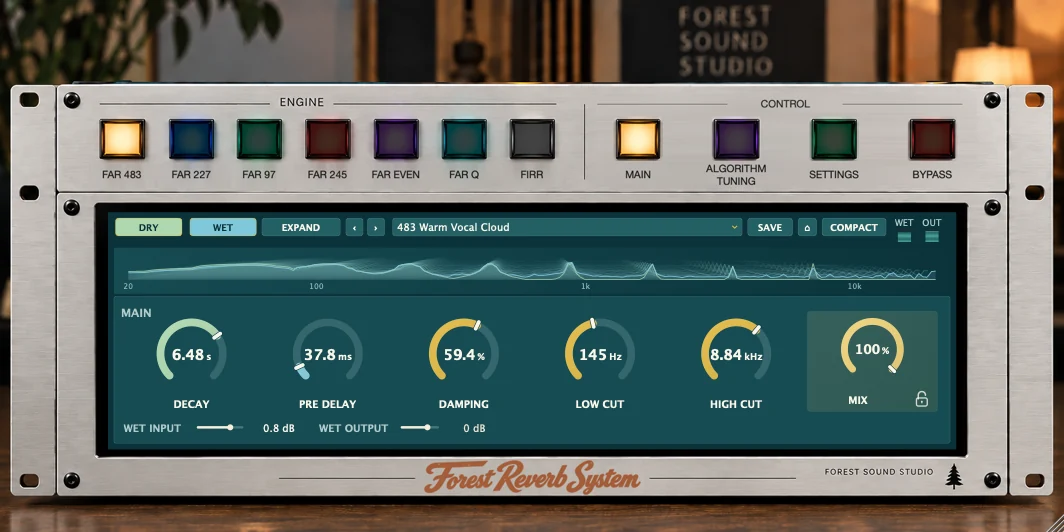
Each engine has its own structure and detailed parameters. The Main view puts the essential settings within reach; Algorithm Tuning opens up the individual character of each engine.
An independent stereo reverb with separate left and right reverb networks. Damping, diffusion and movement shape the decay.
A dedicated hall engine with parameters for space, density, damping and the balance of early and late reflections.
Another algorithmic colour with its own parameters for space and internal movement.
Two spatial characters within one engine. Blend between them and shape the early reflections and reverb tail.
Two variations of a diffuse reverb structure. Original and Bloom offer different ways for the tail to develop.
An additional reverb structure with its own controls for resonance and frequency-dependent decay.
YOUR IMPULSE RESPONSES
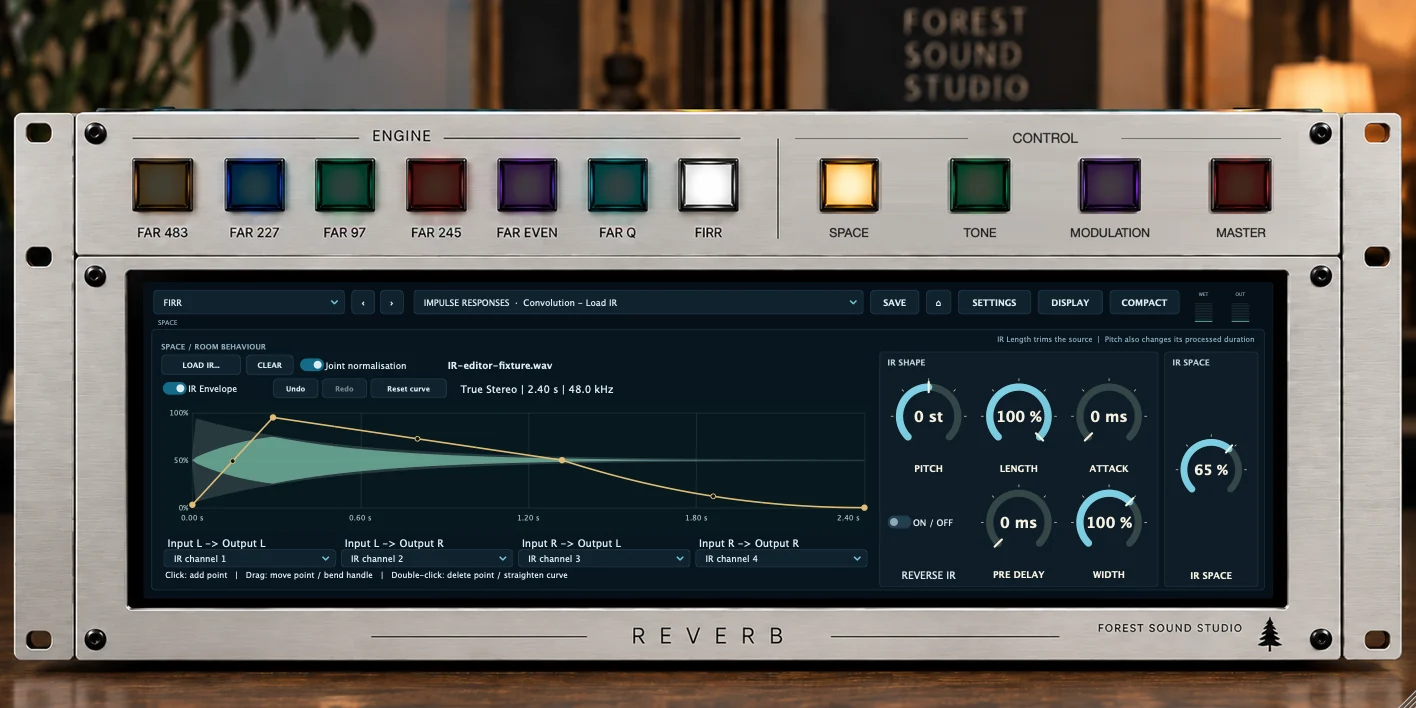
FIRR loads mono, stereo and True Stereo impulse responses. Use existing IRs or your own recordings, then shape their effect inside the plugin.
Pitch uses resampling, which also changes the length of the impulse response. Your original source file is preserved.
THE NEXT CHAPTERS
Forest Reverb System is designed to keep growing, with new impulse responses and refined engines. Preserving the sound of your existing projects is central to that development.
The IR collection will continue to expand. We seek out real spaces that are unusual, sound beautiful, or offer both. Using high-quality audio equipment, we measure their acoustics and create carefully prepared impulse responses that bring their character into the studio.
Selected engines will also be developed and refined. The plan for backward compatibility is to keep earlier algorithm versions available. Existing projects and presets are intended to continue using the version saved with them, so you can explore new possibilities while preserving the familiar sound of earlier work.
FROM THE FIRST SOUND TO THE FINE DETAIL
The selected engine’s essential controls are right in front of you. Factory presets provide starting points; save and recall your own settings as you work.
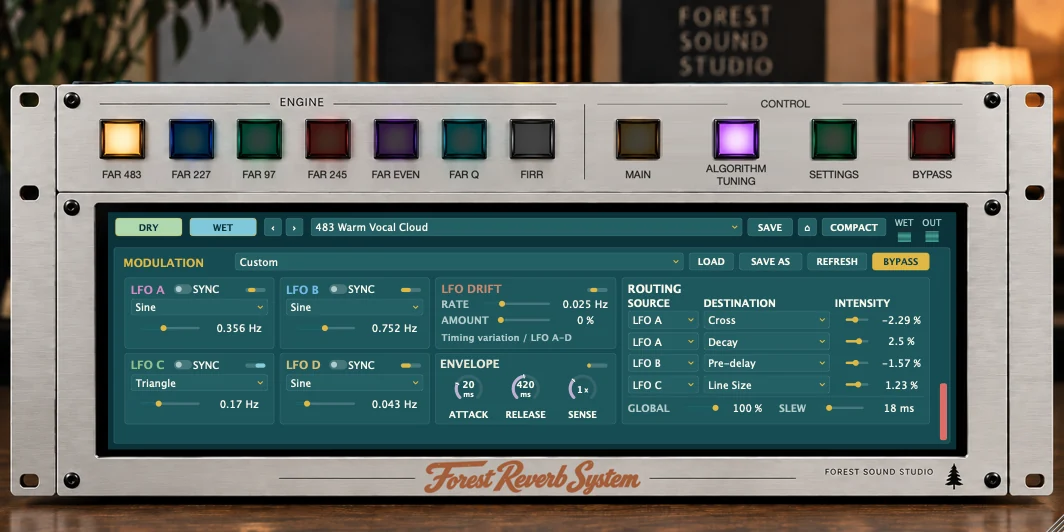
Access each engine’s detailed parameters. The modulation matrix adds LFOs, drift and an envelope source; available destinations depend on the selected engine.
The dry/wet spectrum shows the input signal and reverb return separately. Compact view saves screen space; the expanded spectrum view gives you room for detail.
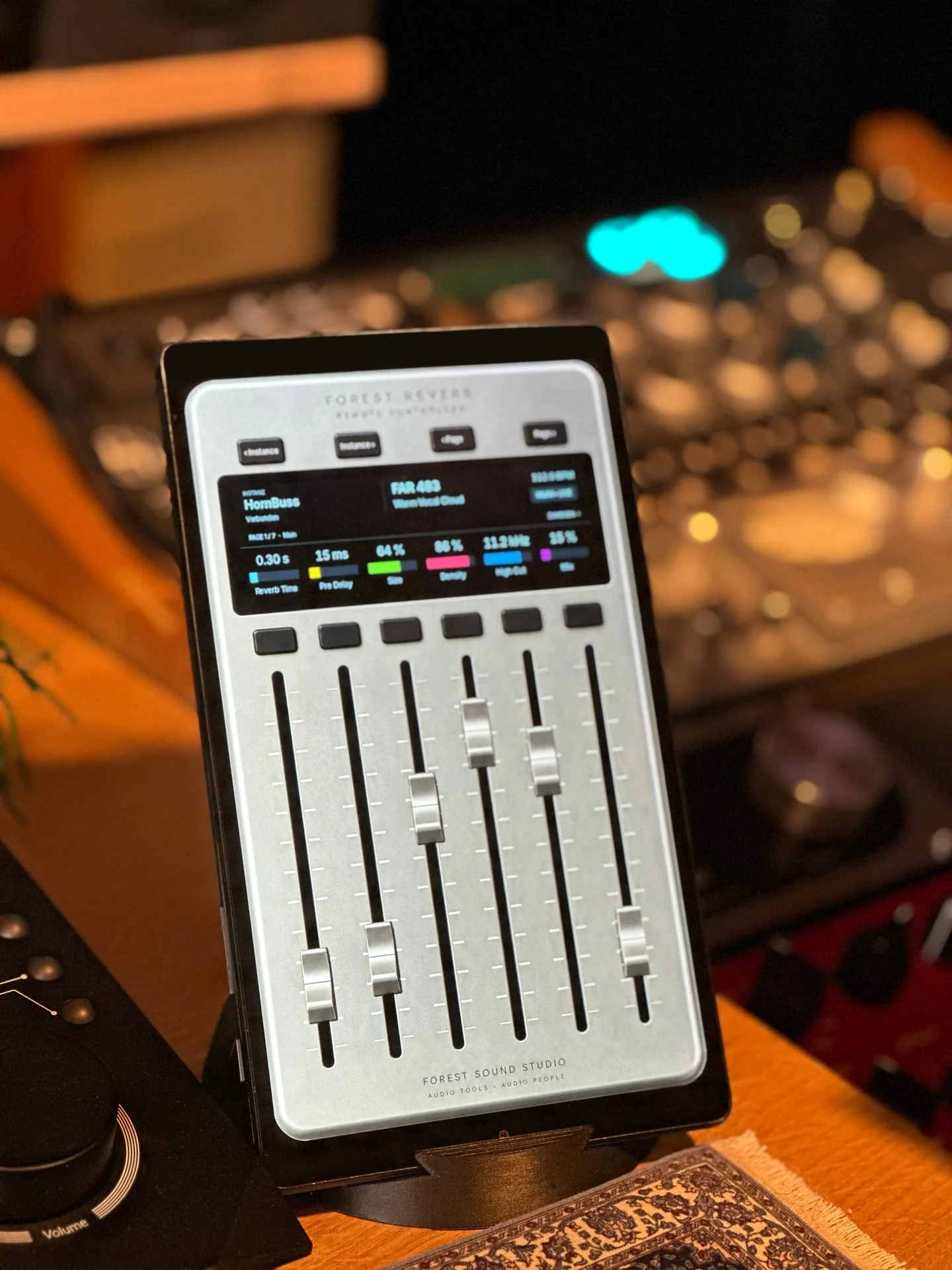
FOREST REVERB REMOTE
With the remote app, you control all the reverb instances in your project from your tablet and adjust their parameters. This lets you manage multiple reverb spaces from one place. The free app for iPad and Android provides six faders for hands-on control.
The remote is optional: Forest Reverb System is fully controllable on the Mac. The remote app does not generate reverb itself and requires the Mac software. No user account is required for the remote.
The Android remote is available as a free direct download. Compatible Mac software is required.
IN A MUSICAL CONTEXT
Match decay time, pre-delay and damping to the performance. Decide in the mix how close or distant a sound should feel.
Use multiple reverb instances for different tasks and keep their controls together on your tablet.
Explore long tails, modulation and processed impulse responses as part of the musical material.
FABIAN EXTER · DEVELOPER & STUDIO OWNER
I developed Forest Reverb System because this was exactly the kind of system I had been missing in my everyday studio work. I wanted to work with space and dimension through a single, intuitive interface, like the great hardware reverb units of the past. Multiple engines, convolution (IR) and remote control bring that idea together, offering everything you could ever need from reverb in a single platform.
In development
Forest Reverb System is taking shape here: developed through my everyday studio work, with six reverb engines, convolution and tablet control. When the system is ready, you will find trial and purchase information here.
Forest Reverb System is in development. Trial and purchase options will be available here at launch. A release date has not yet been set.
SYSTEM & FORMATS
| Operating system | macOS 12 or later |
|---|---|
| Processor | Apple Silicon or Intel; universal build |
| Plugin formats | Audio Unit (AU) and VST3; a DAW supporting the relevant format is required. An AAX version is in development. |
| Standalone | Independent Mac application with audio input and output; external signals require a suitable audio interface and routing |
| Optional remote | iPad or Android tablet on the same local network; device requirements are listed with each app download |
| Internet | For downloading, activation and optional update checks; not for ongoing licensed audio processing |
These details describe the current development version. Final system requirements will be published with the trial. The number of simultaneous instances depends on the computer, sample rate, engine and IR length.
The system is still in development. Trial and purchase information will be available here at launch. No release date has been set yet.
No. The plugin and standalone application are fully controllable on the Mac. Forest Reverb Remote adds control from a compatible tablet. A dedicated hardware controller is neither required nor included.
FIRR supports compatible mono, stereo and true-stereo IRs in WAV or AIFF format. You can import your own or appropriately licensed impulse responses. We also plan to keep expanding our collection of carefully recorded real spaces.
Yes. The standalone application processes audio through your selected inputs and outputs. Connecting external instruments or other applications requires an appropriate audio interface or audio routing.
DIRECT CONTACT
Write to support@forestsound.de. For technical problems, include the plugin version, macOS version, your DAW and a short description. Please do not send full licence keys or account credentials.
Contact support